Request a taxi in Tuzla
Getting a taxi in Tuzla just got easier with the Uber app. In a few steps, you can request a local taxi and pay for your trip all from one place. With 24/7 requesting available, consider this the convenient way to get your next taxi ride in Tuzla.

The easiest way to request a taxi in Tuzla, Kocaeli
Welcome to Tuzla taxis with the Uber app, where you can request local taxis using Uber. With in-app requests, your cab ride can happen at any time.
24/7 availability
Bring Tuzla taxis to your doorstep and enjoy convenient rides, bookable through the Uber app 24/7.
Cashless payments
Make traveling your only concern by setting up cashless payments. Automated payments are as simple as adding your preferred payment method in the Uber app’s account settings.
Upfront price estimates
Confidently request trips in Tuzla thanks to upfront price estimates in the app. Before requesting your ride, you'll see a minimum and maximum price estimate for your trip.
Download the Uber app to request a taxi near you
Looking for taxis near you? Consider these ride options
4-seaters
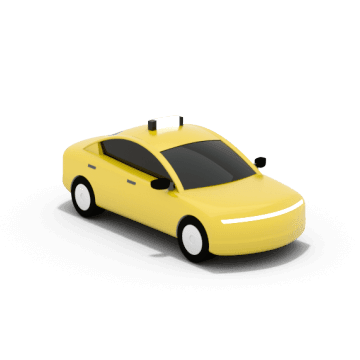
Comfortable vehicles for up to 4 passengers
8-seaters

Comfortable vehicles for up to 8 passengers
Frequently asked questions
- How do I request a taxi in Tuzla with the Uber app?
To request a taxi in Tuzla directly from the Uber app, open the app, enter your pickup and dropoff locations, then select Taxi from the list of ride options. You’ll be matched with a licensed taxi driver to assist you with your trip.
- How many passengers can ride together in a taxi booked with the Uber app in Tuzla?
Taxis with the Uber app in Tuzla support up to 4 or up to 8 passengers.
- What time do taxis stop running near me?
You can request a taxi ride 24/7 using the Uber app.
- Is a taxi ride cashless in Tuzla?
Yes. In addition to the cash payment option, you can add card payment methods such as a credit card to your Uber account.
- Can I tip taxi drivers in Tuzla with Uber?
Yes, you can tip taxi drivers in Tuzla with Uber. You can provide a tip with the app or give cash directly to your driver.
- Can I change my destination after a ride with a taxi in the Uber app in Tuzla has been confirmed?
Yes, you can change your destination after your taxi ride with Uber in Tuzla has been confirmed. You can also change your destination while you are traveling.
- What is the best app for booking taxis?
Many apps offer the ability to book taxis in Tuzla. Consider booking a taxi with the Uber app to enjoy affordable prices and 24/7 ride requesting when you need to travel in and around the city.
- What do I do if I forget an item in a taxi booked with the Uber app?
Open the Uber app and go to the Account section. Choose Help, then Help with a trip. Select the trip on which you forgot the item, choose Find lost item, and follow the in-app instructions.

About
Explore Tuzla
Taxis near me
About
Explore Tuzla
Taxis near me